Remind without chasing
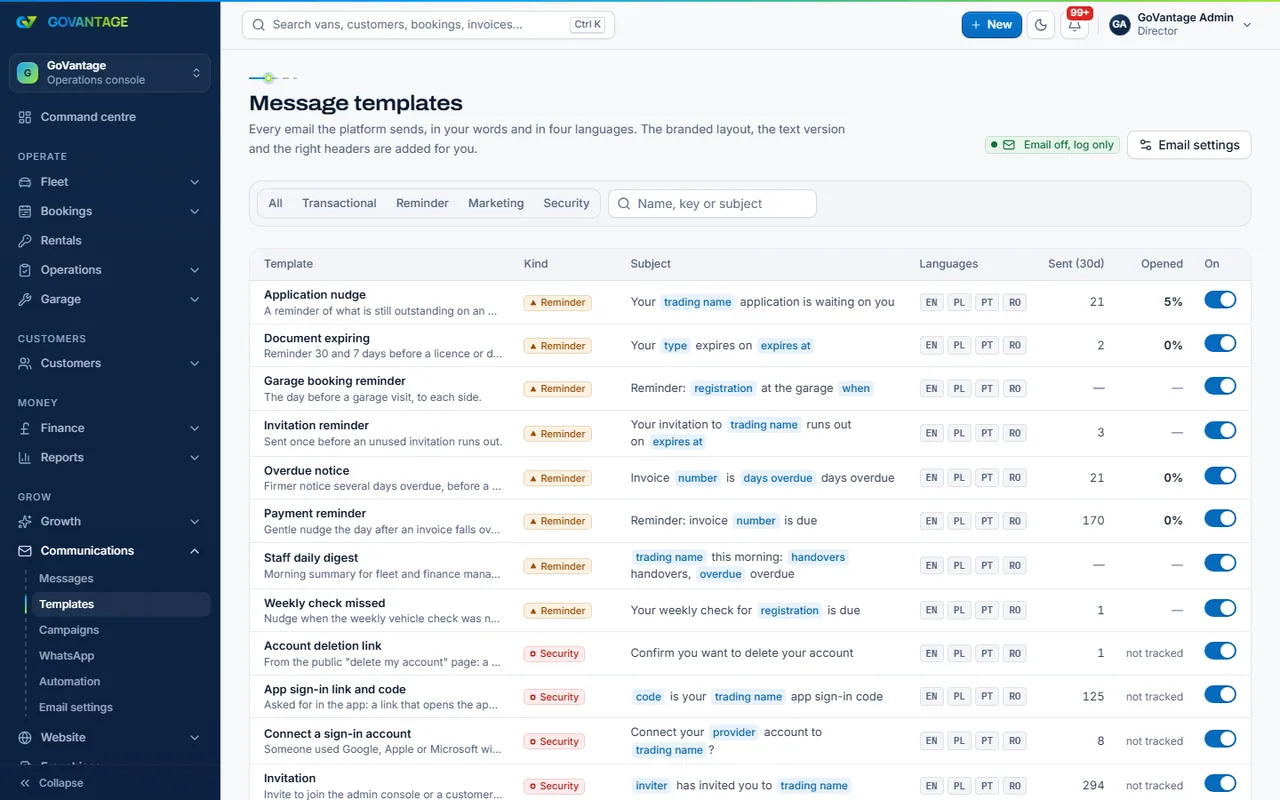
Weekly check due, invoice due, MOT booked: sent from templates at the right time.

Tool
Connect your WhatsApp Business number through Meta and let the workspace send the reminders, confirmations and garage requests from approved templates, with a shared inbox for replies and consent handled the way the rules require.
What it does
Events in the workspace (a booking confirmed, an invoice due, a check missed, a garage job) send a template message to the right person, only with their consent. Replies land in the inbox where staff answer; garages answer job requests by WhatsApp without a login.
Who uses it
Office staff
One inbox for every conversation, with the customer and the rental beside it.
Customers and drivers
Reminders where they actually read them, and a way to reply.
Garages
Job requests and updates by WhatsApp, no app to install.
What is in it
Capabilities
Weekly check due, invoice due, MOT booked: sent from templates at the right time.
Replies arrive with the customer and rental beside them; anyone on the team can pick it up.
The garage gets a one-line summary and the full sheet as a reply once they tap or answer.
Consent is recorded, opt-outs honoured, and a number without a yes gets nothing.
On screen
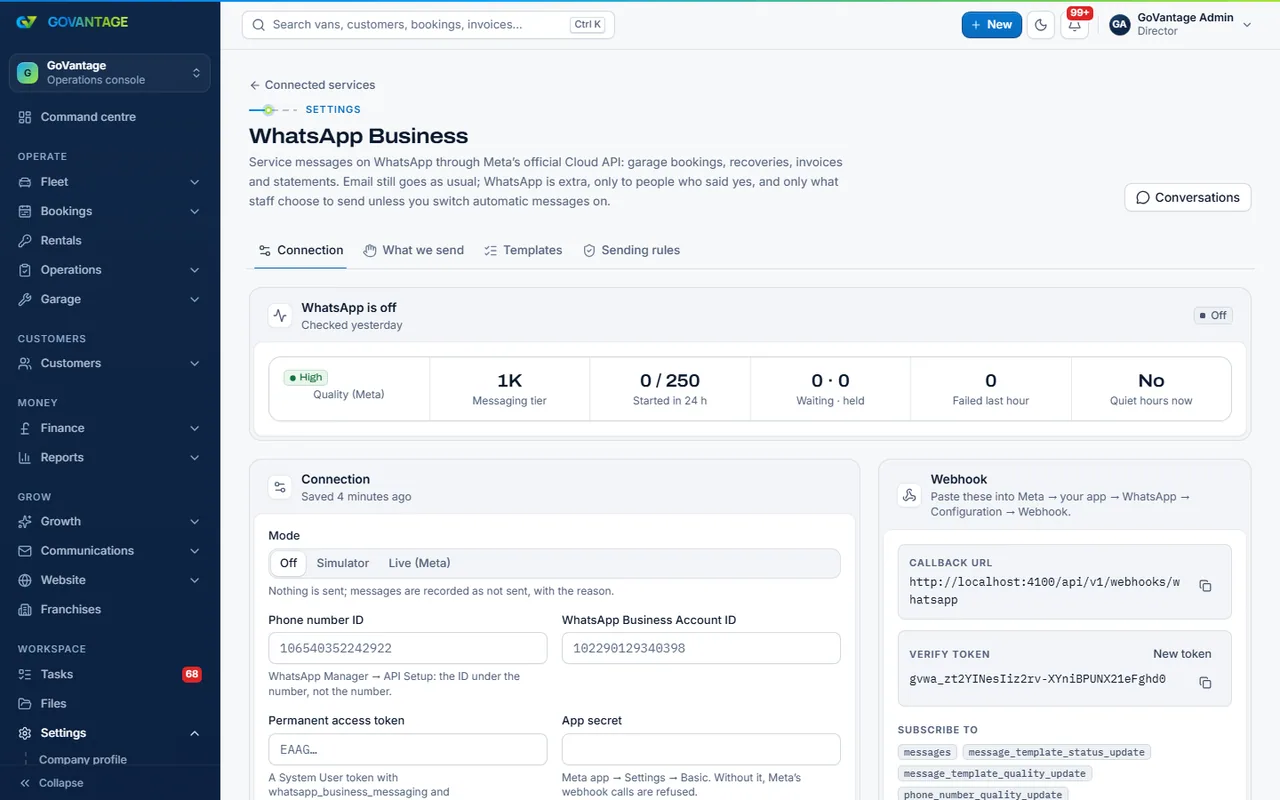
The WhatsApp settings page connects your Meta business, shows the number and its quality rating, and lists the templates with their approval status. Sending only starts once Meta has approved them.
Questions
You do, directly: Meta bills per conversation on your own account. GoVantage charges the tool’s flat monthly price only.
Yes, if it can be moved to the WhatsApp Business platform (Meta explains the steps). Many fleets add a new number for the business.
No. A message goes only to a number that has given consent, and an opt-out stops everything at once.
Yes. Email is in every workspace; WhatsApp sits beside it for the messages people read on their phone.
Connect your number during the trial and send your first template.
14-day free trial, no card needed.