Collect by Direct Debit
Customers set up the mandate in the portal; collections are scheduled from each invoice and failures are flagged.

Core tool
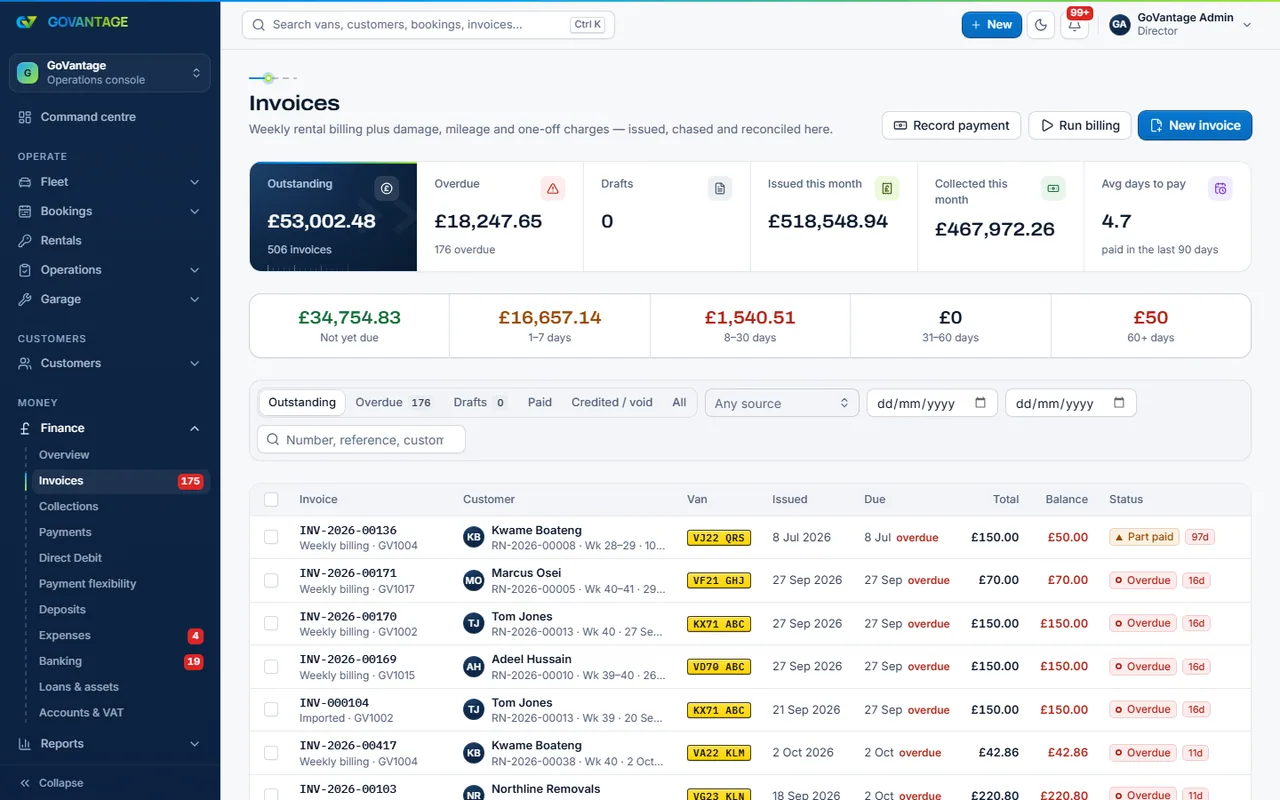
Weekly invoices raised at the end of each week, Direct Debit collected through your own GoCardless account, card payments through Stripe, bank statements imported and matched to invoices, and arrears chased before they grow.
What it does
Each rental produces its weekly invoice with the same reference every time. Payments arrive by Direct Debit, card, standing order or transfer and are matched to invoices; what is left shows on the collections screen. Deposits are held apart and returned itemised.
Who uses it
Owner and bookkeeper
Every invoice, payment and credit note in one place, exportable for the accounts.
Office staff
Record a payment, send a reminder, agree a plan: each a click on the customer.
Your customers
See invoices, pay and set up Direct Debit in their portal.
What is in it
Capabilities
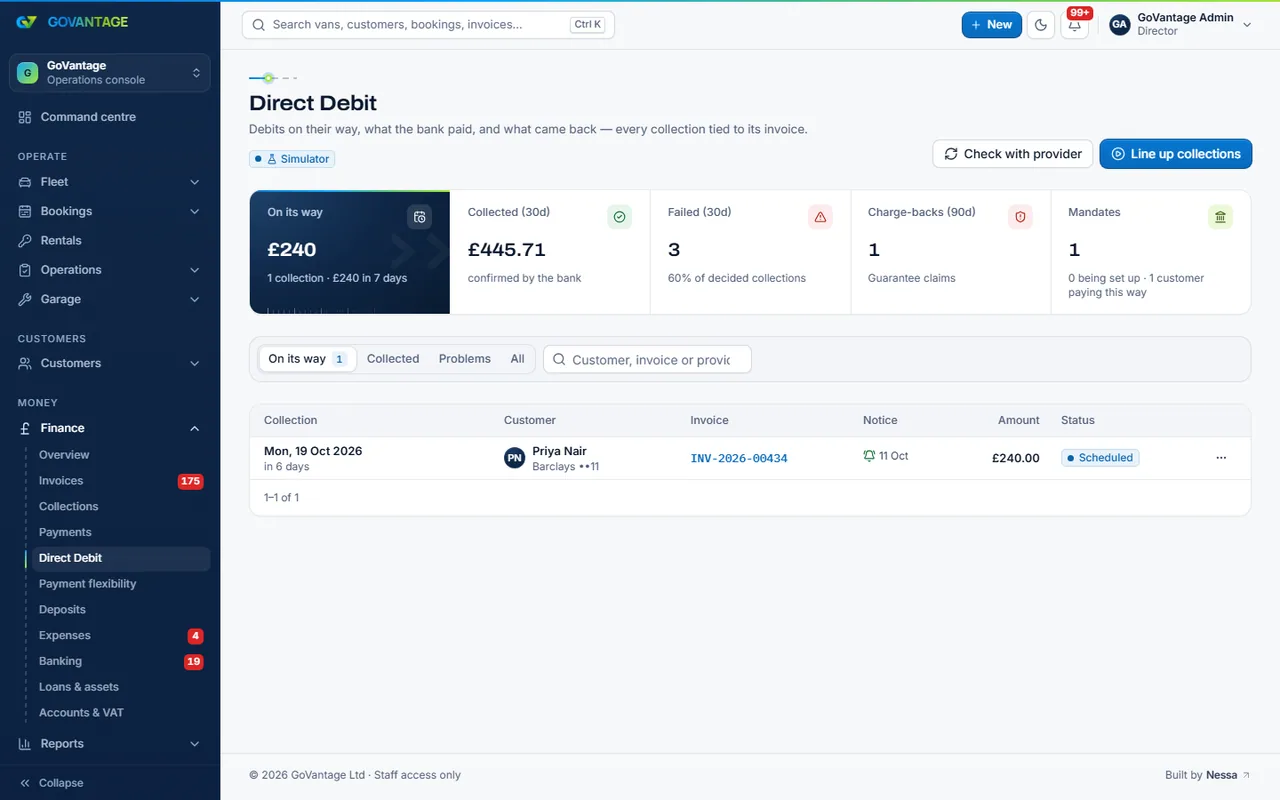
Customers set up the mandate in the portal; collections are scheduled from each invoice and failures are flagged.
Import a statement and payments are matched to invoices by reference; the rest is a short list to tidy.
Held apart, assessed against the check-in, returned with every deduction itemised and photographed.
Collections shows who is behind, the reminder goes out, and a payment plan can be agreed and tracked.
Part weeks, days off and early returns are priced by the day; the invoice follows the change.
On screen
The Direct Debit screen lists mandates, the next collections and anything that failed, with the GoCardless status beside each. Collections are created from invoices and settled when the money lands.
Questions
No. Payments go through your own GoCardless and Stripe accounts straight to you. GoVantage charges the plan price only.
Yes. Invoicing and payments is part of the Core plan. Accounting and HMRC (the ledger, VAT figures and year-end export) is a separate tool.
Only if you want Direct Debit or card payments. Bank transfer and standing order work without either; connect the accounts when you are ready.
Yes. They see every invoice, pay by card or set up Direct Debit, and download PDFs under your name.
Open a free trial, book a hire and see the invoice raised.
14-day free trial, no card needed.