See the fleet live
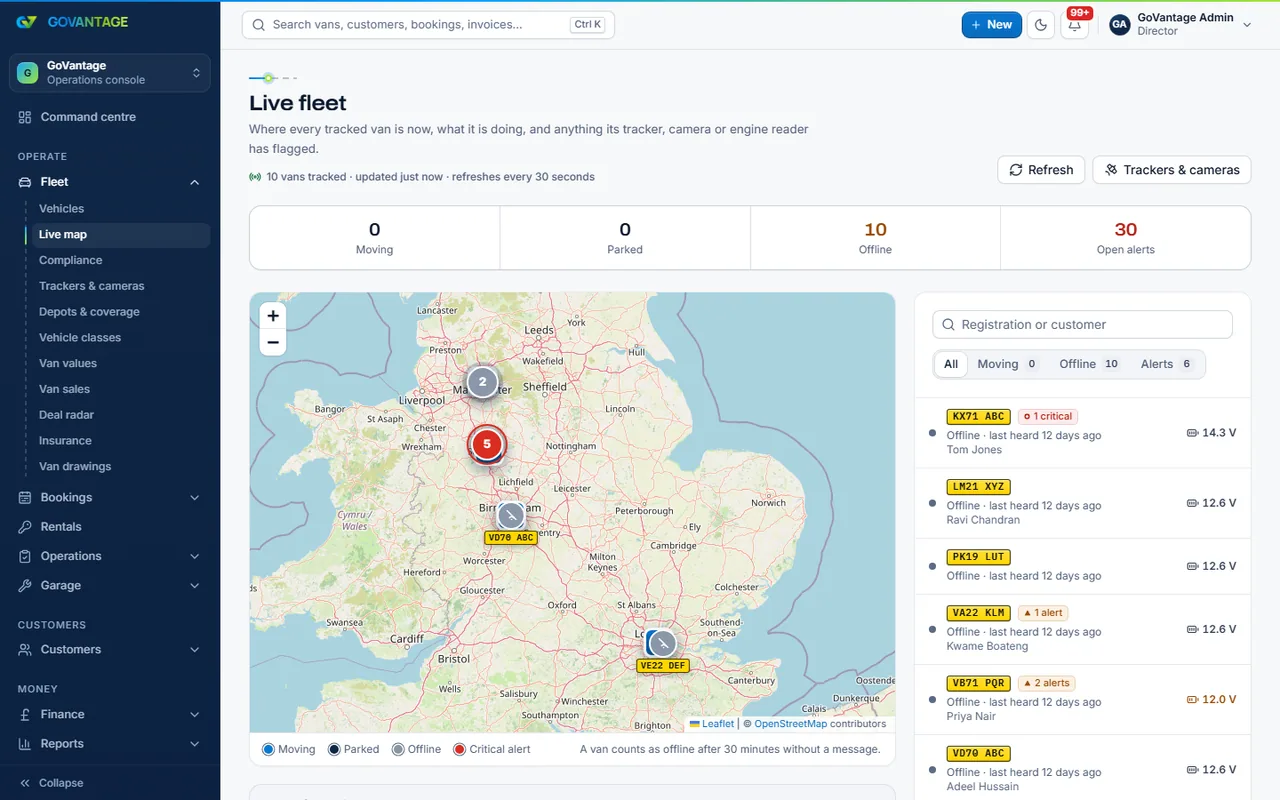
Positions, headings and last-seen times on one map, with a van’s trail when you open it.

Tool
Connect the trackers you already have and see the fleet live: where each van is, alerts that clear themselves when the van is back in line, van health from the engine reader and mileage that updates the service schedule.
What it does
Devices are registered against vans; the feed from your provider lands in the workspace and drives the map, the alerts (speeding, out of hours, geofence, no signal) and the van health tab. You pay a small price per tracked van on top of the tool.
Who uses it
Fleet controller
The live map and the alerts, on a big screen or a phone.
Garage
Odometer and engine readings feed the service schedule.
Owner
Where the vans are at night, and which ones never move.
What is in it
Capabilities
Positions, headings and last-seen times on one map, with a van’s trail when you open it.
An alert opens when something is wrong and clears when it is right again; you see what is open now.
Mileage and fault codes from the reader land on the van and move the service date.
Search by registration or driver and jump to it on the map; useful on recovery day.
On screen
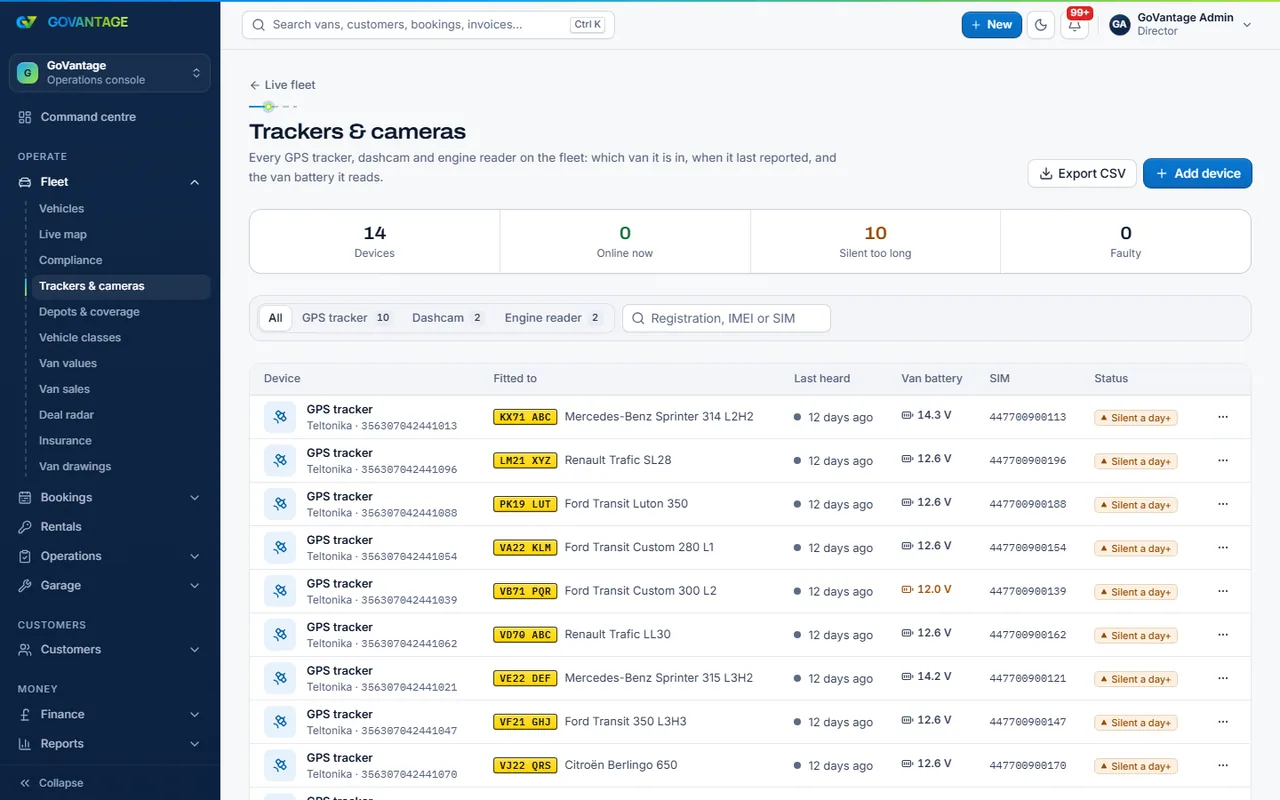
Each device is registered to a van with its provider and identifier; the page shows what is reporting, what went quiet and when. Moving a device between vans keeps the history straight.
Questions
Those with a feed we can read: a partner feed from your provider, or devices that send to us. Ask on the demo and we will tell you straight for your provider.
The tool has a flat monthly price plus a small amount for each van with an active tracker on the statement day; both figures are on this page from the live plans.
No. You keep your contract and your trackers; GoVantage reads the feed.
No. The map is for your staff by role; drivers see their own van’s mileage in the app.
Switch on trackers during the trial and connect your first device.
14-day free trial, no card needed.