Add a van in a minute
Type the registration and the make, model, colour, engine and MOT history fill in from the DVLA and DVSA.

Core tool
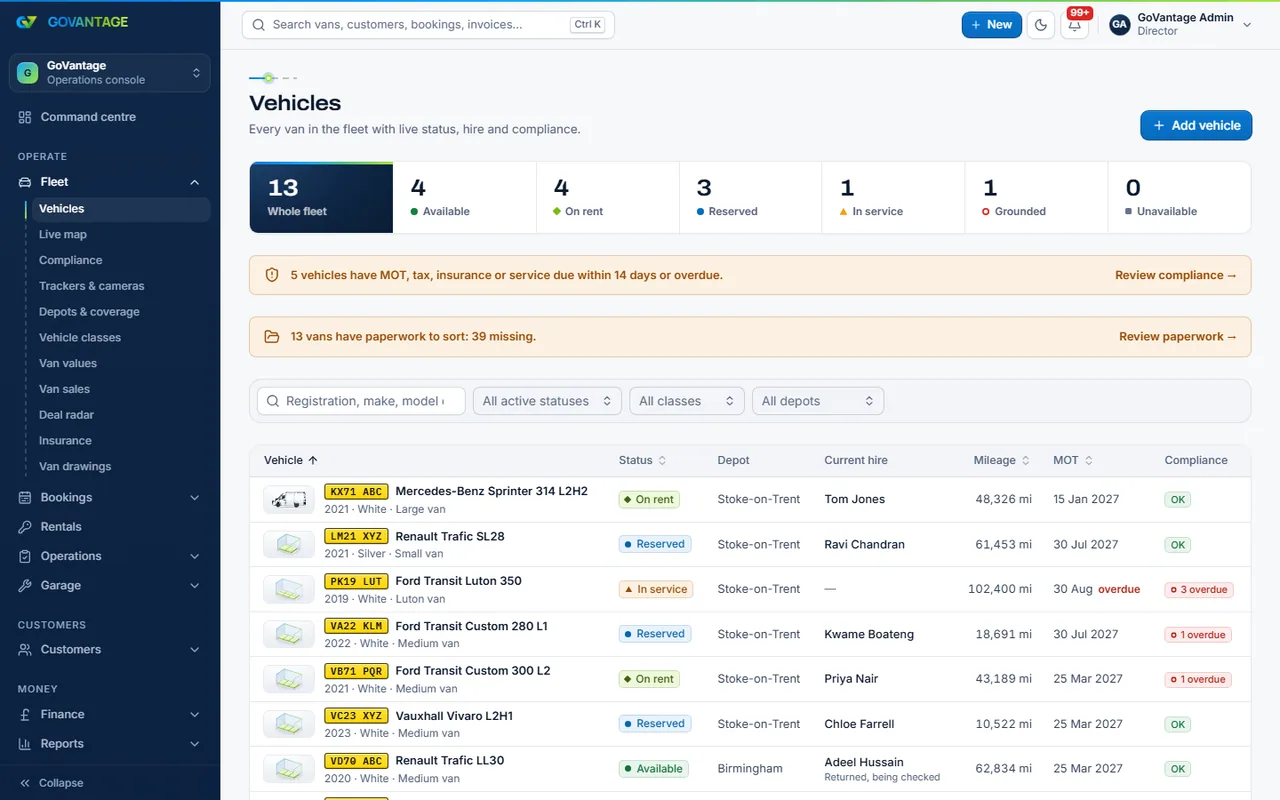
The fleet list is where a workspace starts: each van with its registration, class, depot, status and what it needs next, with the paperwork kept on the van and reminders before anything runs out.
What it does
Vans are added by registration (the DVLA details fill in), grouped by class and depot, and shown with their status: available, on hire, in the garage, off the road or sold. The compliance board lists what is due across the fleet, soonest first.
Who uses it
Fleet manager
Sees the whole fleet, what is due and which vans are earning.
Office and admin staff
Add vans, upload papers and answer “where is that document?” in seconds.
Owner-drivers and small fleets
A clear list of your own vans with the dates that matter, nothing more.
What is in it
Capabilities
Type the registration and the make, model, colour, engine and MOT history fill in from the DVLA and DVSA.
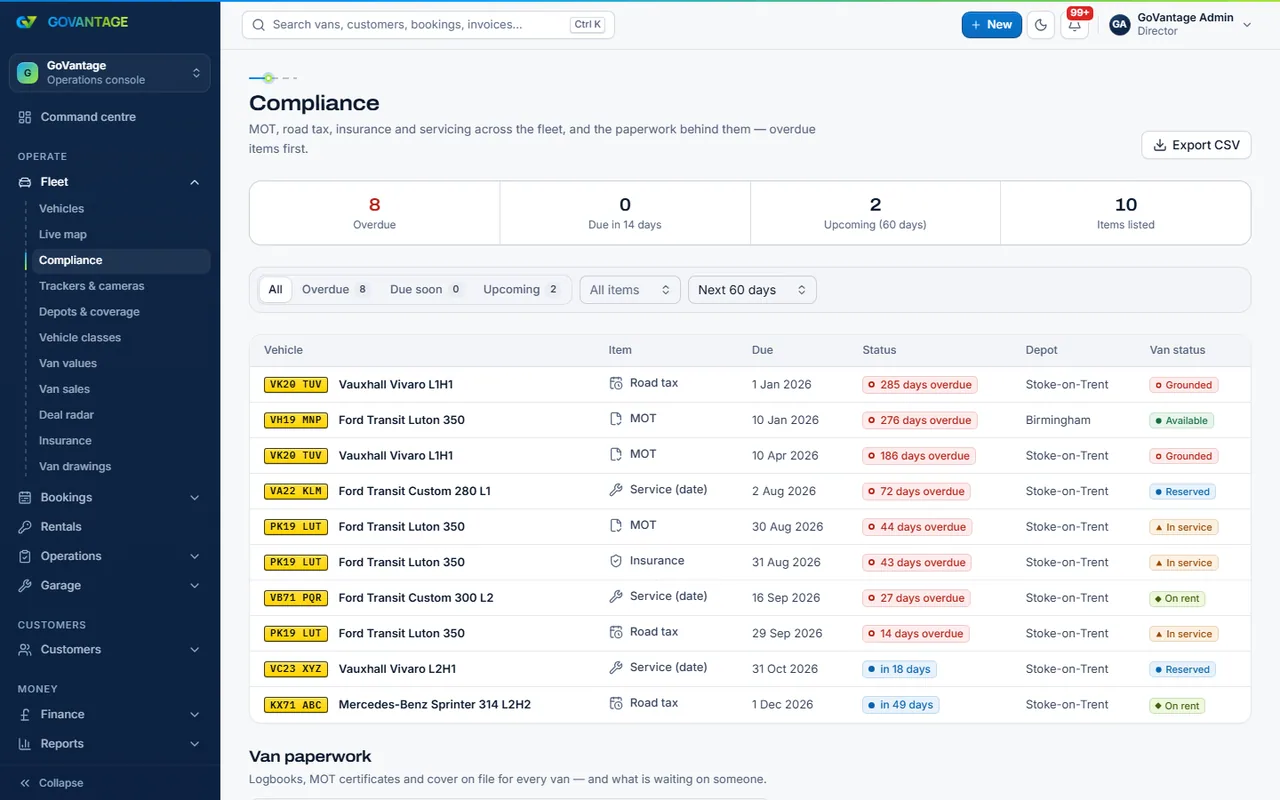
The compliance board sorts the fleet by the next date due, so nothing expires unnoticed.
Each van has its own documents tab; dates only move forward, and a sold van keeps its papers.
Depots, classes and statuses are yours to set up; a van’s history moves with it.
Purchase price, current value and finance on each van, for the accounts and for the day you sell it.
On screen
One screen lists every date that matters across the fleet: MOT, road tax, service, insurance and the papers you have marked as required. Overdue first, then this month, then the rest, each line opening the van.
Questions
No. Fleet and van papers is part of the Core plan, which every workspace has from day one. You pay the Core base and a small price per van; there is no van limit.
Any vehicle on your fleet in GoVantage on the day the monthly statement is raised, except vehicles marked as sold. Vans in the garage or off the road still count; sold vans keep their papers but are not charged.
Yes. Paste or upload a list of registrations and the DVLA details fill in. If you would rather we did it, ask for the set-up service in your application.
Your staff, by role. You decide which document types are required, when they expire and who may view them; drivers see only what you share with them in the app.
Open a workspace on a free trial, add a few vans and see what is due.
14-day free trial, no card needed.