Set the brand once
Logo, colours and favicon in one place, applied to every surface.

Tool
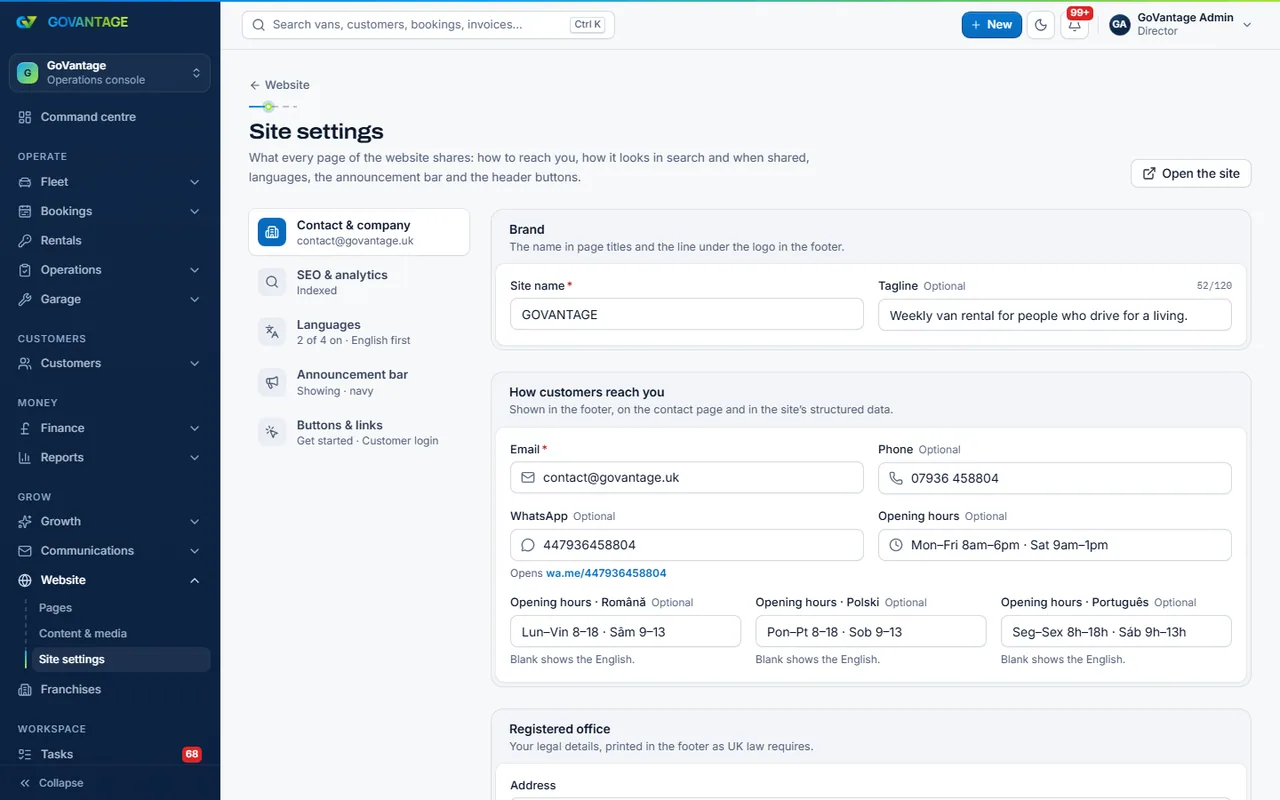
Without this tool your customers already deal with you under your name. With it, the GoVantage line disappears, emails come from your own domain with proper signing, your brand fills the portal and app, and your own web address replaces yourname.govantage.uk.
What it does
Brand settings set the logo, colours and favicon used everywhere; the sender domain gets DKIM and SPF records to add, then mail goes out as you; a custom domain is verified and served with its own certificate, with sign-in working across it.
Who uses it
Established businesses
Customers see one brand, from the website to the invoice PDF.
Franchises and groups
Each workspace on its own domain, under its own name.
Marketing
Consistent colours, logo and sender on every message.
What is in it
Capabilities
Logo, colours and favicon in one place, applied to every surface.
Add the records we give you; mail is signed for your domain and replies go to you.
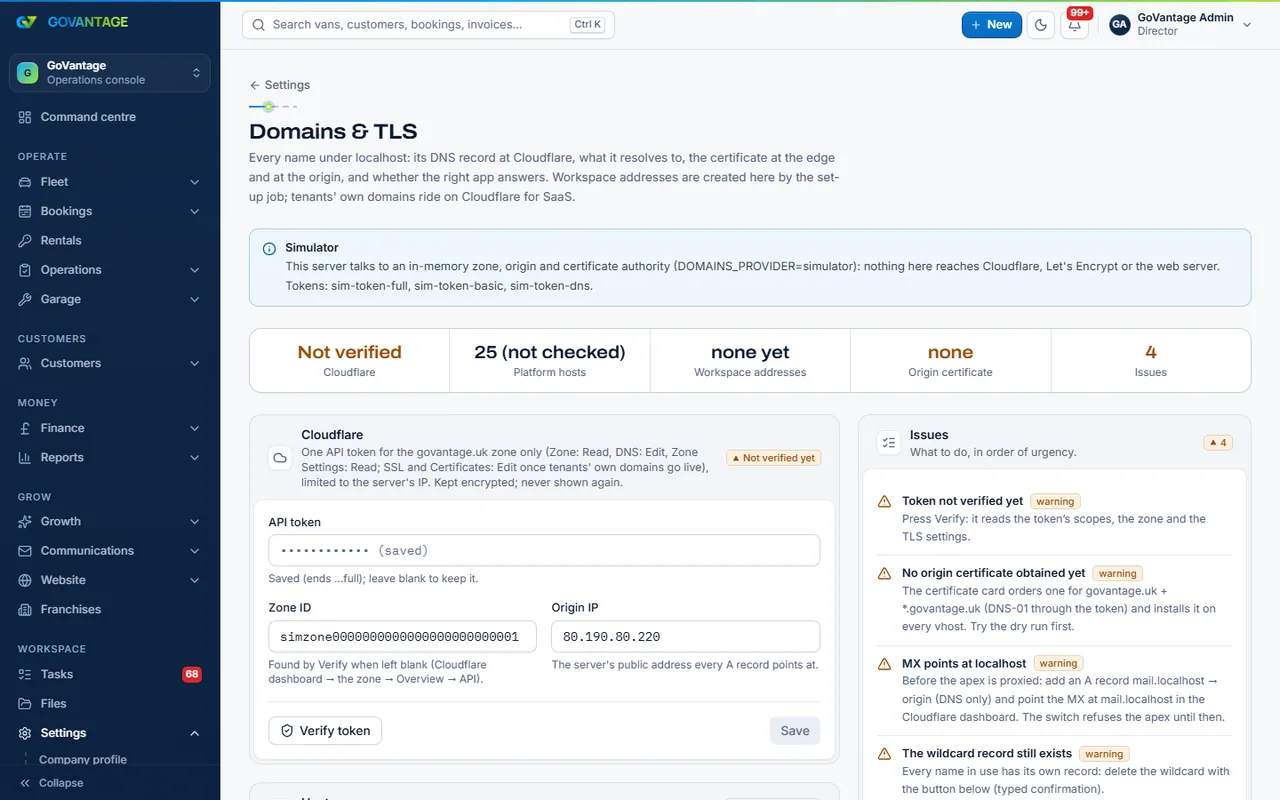
Verify it with a record, and the site and portal answer on it with a certificate we manage.
The driver and staff apps show your name and colours.
On screen
Behind every address sits the platform’s domains page: DNS records, proxy state, certificate expiry and host checks for every site and portal, renewed before they run out. Your own domain joins the same list once its record is verified.
Questions
No. Every workspace carries its own name on the site, portal, invoices and agreements. This tool removes the GoVantage line and adds your domain and sender.
Yes. You keep the domain at your registrar and add the records we give you; we handle the certificate.
Your name and colours, yes. A fully separate app in the stores is a bespoke service; ask us.
A flat monthly price, on this page and the pricing page from the live plans.
Switch on own branding and add your domain during the trial.
14-day free trial, no card needed.