List a van in minutes
The van’s papers and photos are already there; set the price and switch the listing on.

Tool
Vans for sale as stock with photos, prices and papers; listings that appear on your website; enquiries that land in your workspace; sale agreements signed online; and a deal radar that watches the market for the vans you buy.
What it does
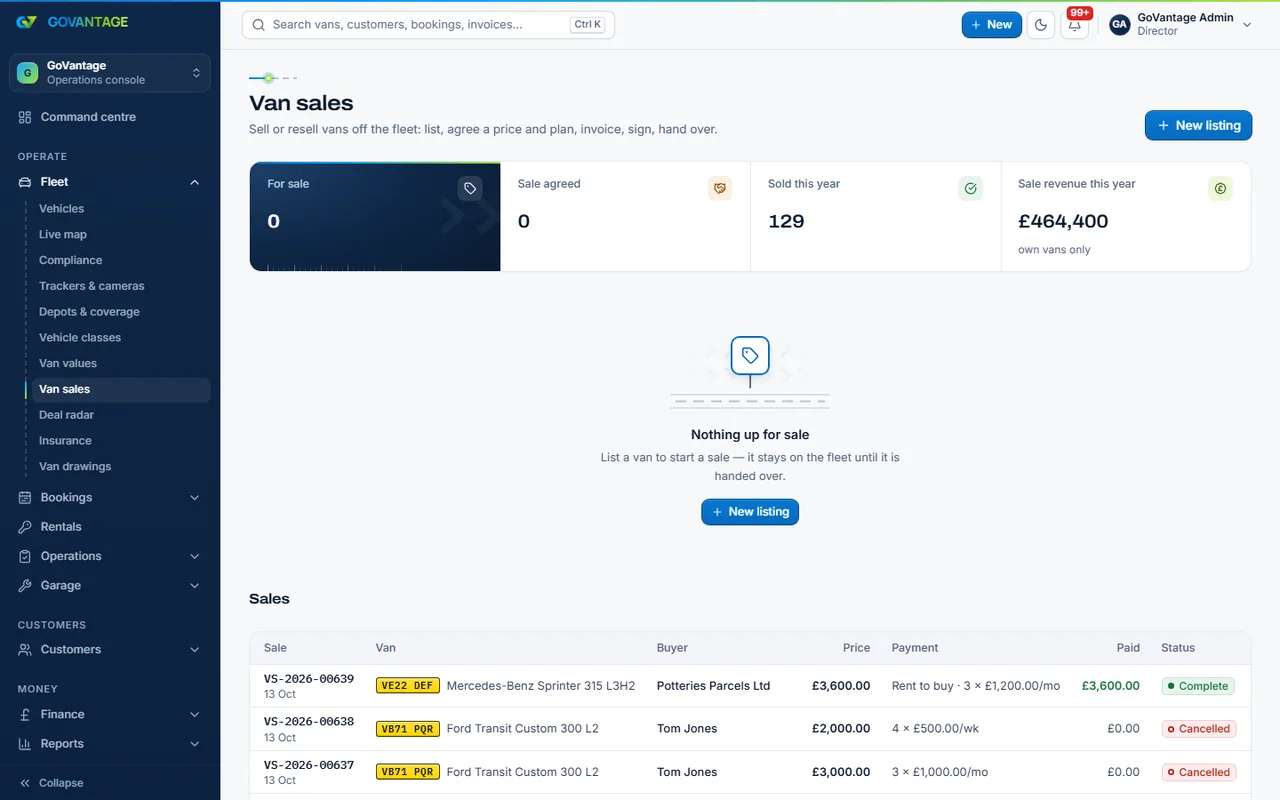
Mark a van for sale and it becomes a listing with its photos, mileage, MOT and price. Switch “show on the website” on and it appears on your vans-for-sale page with an enquiry form. A sold van keeps its history and papers and stops counting as a van on your plan.
Who uses it
Dealers
The Dealer plan: Core plus Vehicle sales, priced per vehicle in stock.
Rental fleets
Sell vans at the end of their life without a separate system.
Buyers
A listing with the truth about the van and a form that reaches a person.
What is in it
Capabilities
The van’s papers and photos are already there; set the price and switch the listing on.
Each enquiry names the van and lands with the customer, ready to reply.
A sale agreement from your template, signed online, with the PDF kept.
The deal radar scores vans on the market against what you are looking for.
On screen
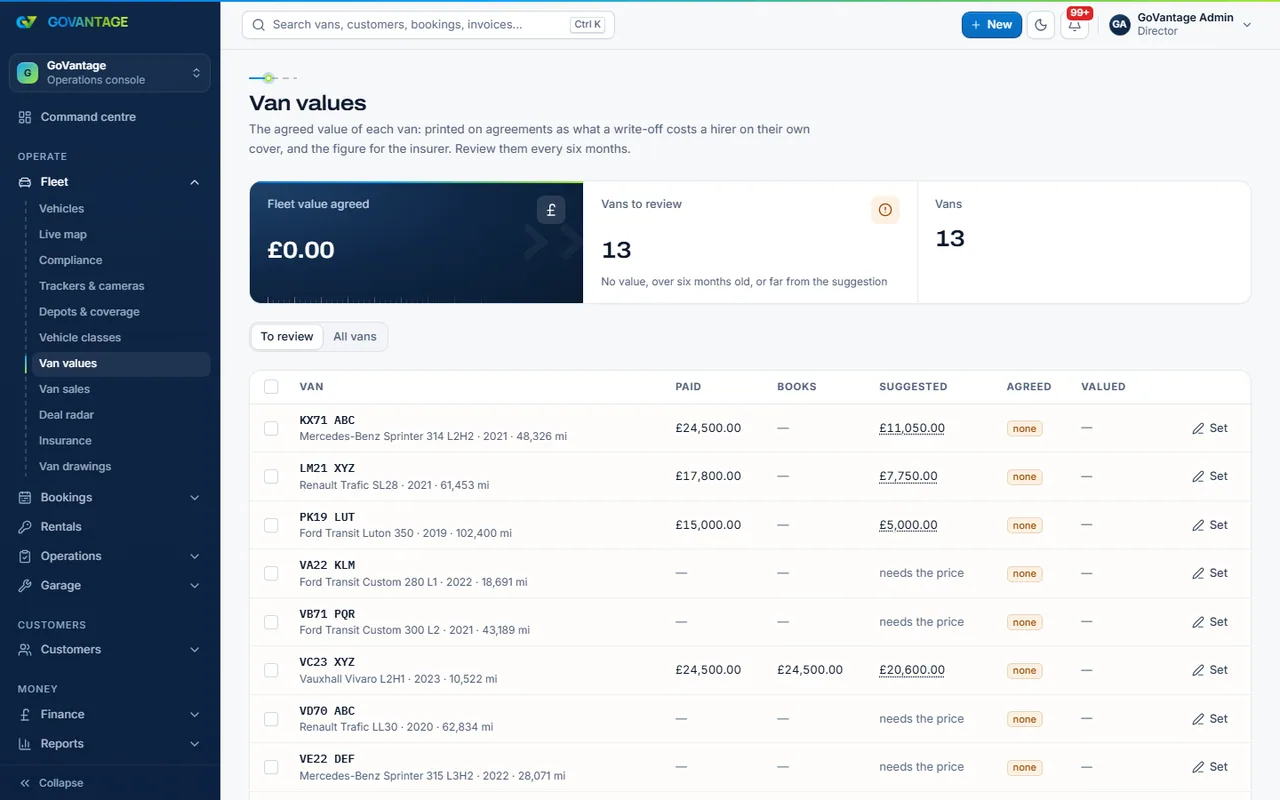
The values page keeps the purchase price, the current value and any finance on each van, so an asking price starts from numbers. The deal radar does the same for buying: tell it what you buy and it scores what is on the market.
Questions
The Dealer plan is the Core base plus Vehicle sales, with a flat price per vehicle in stock instead of the per-van bands. The figures are on the pricing page from the live plans.
Yes. A Core workspace with Vehicle sales switched on does both; sold vans leave the plan count.
No. GoVantage does not offer or advertise credit; buyers pay the price and sign the sale agreement.
For your own site, yes. Without it you can still keep stock and send listings by link.
Switch on vehicle sales during the trial and list a van.
14-day free trial, no card needed.